Print your transcript (graduate students)
To print out a notarized version of your transcript, follow the steps below.
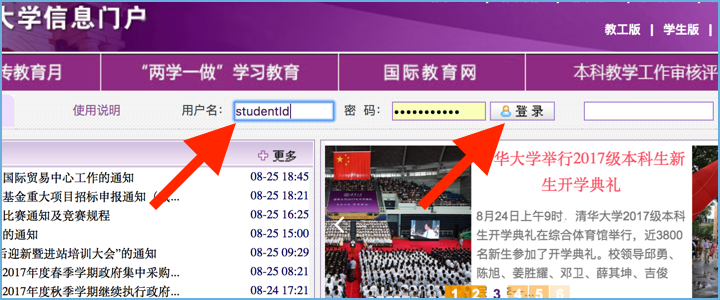
1. Sign in to info.tsinghua
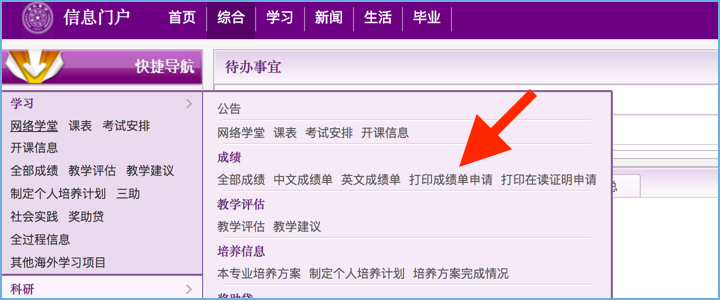
2. Select 打印成绩单申请 from the sidebar menu
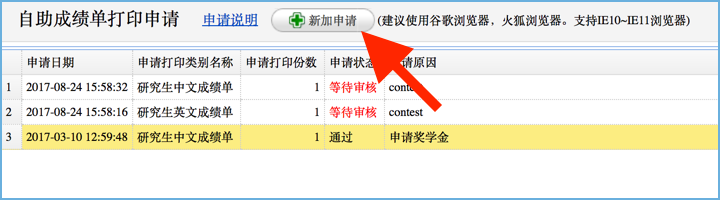
3. Click the 新加申请 button at the top
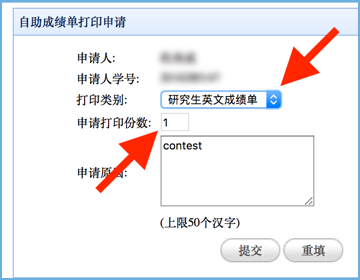
4. Select number of copies and the target language
Use the text area to explain why you need to print your transcript.
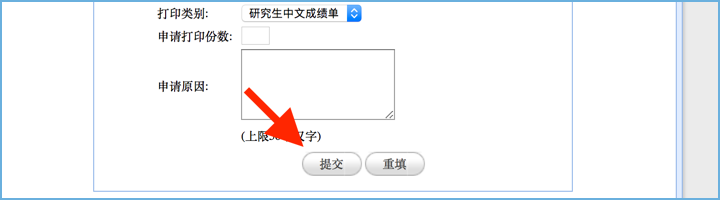
5. Click 提交 to apply for review
6. Wait for approval (couple of days)
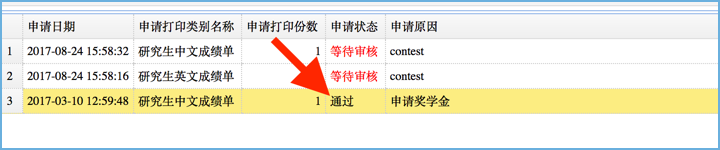
Your application to print’s status 申请状态 will be updated to 通过 if your application to print has been approved.
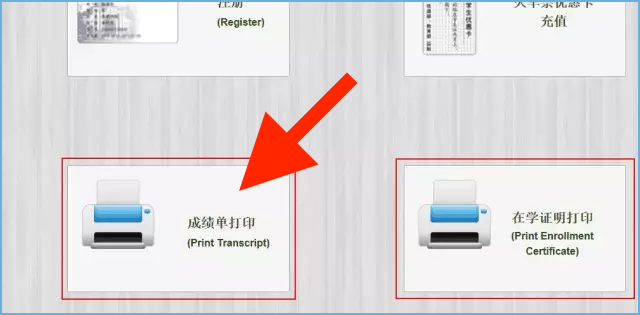

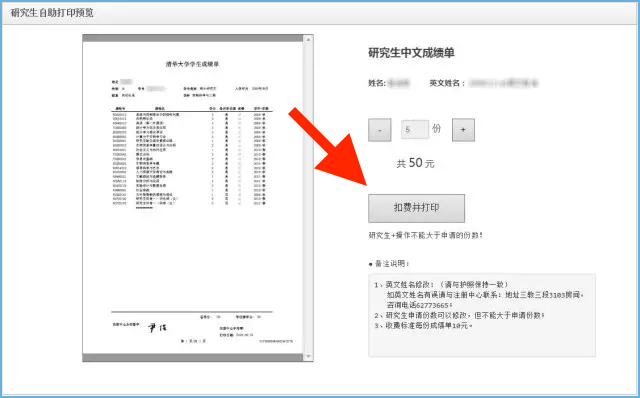
9. Tap 扣费并打印 to pay the fee and print your transcript